

目录
- 3D变换
- animation
1. 3D变换
常用API:
- transform-style(preserve-3d) 建立3D空间
- Perspective 景深
- Perspective- origin 景深基点
- Transform 新增函数
* rotateX()
* rotateY()
* rotateZ()
* translateZ()
实例:
实例1:3D立方体
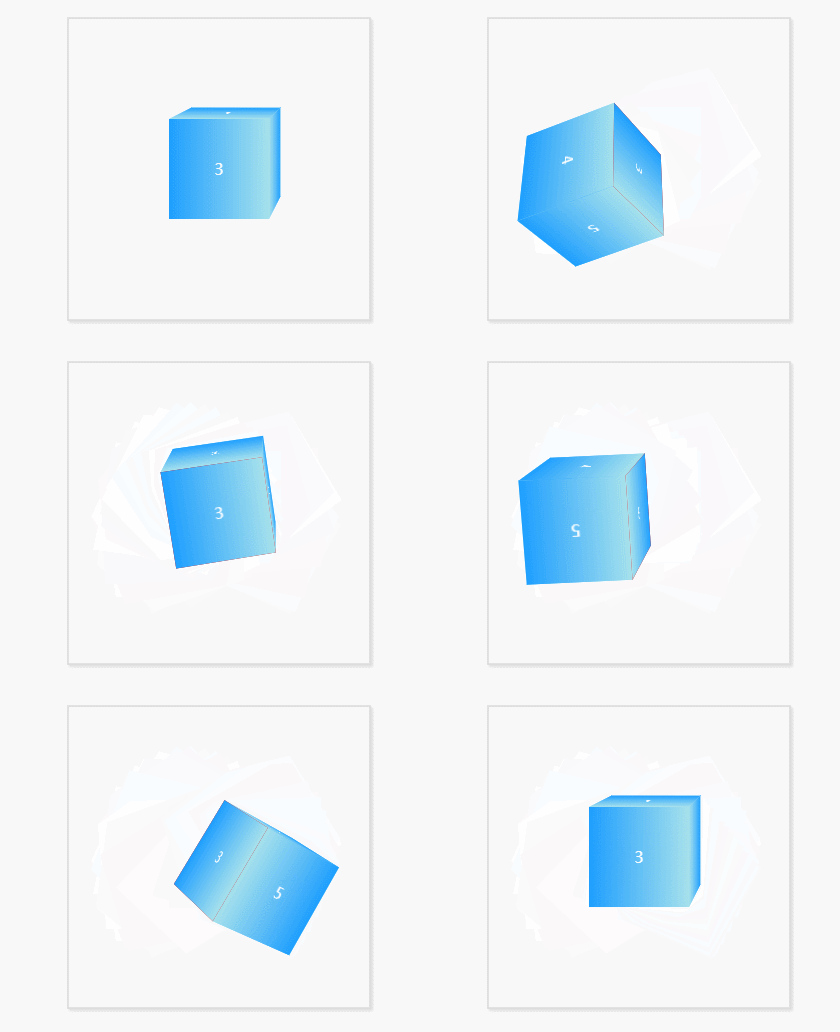
<!doctype html>
<html>

    <head>
        <meta charset="utf-8">
        <title>立方体</title>
        <style type="text/css">
            *{
                margin: 0;
                padding: 0;
            }
            .wrap{
                width: 100px;
                height: 100px;
                border: 2px solid #ddd;
                box-shadow: 2px 2px 4px #ddd;
                position: relative;
                margin: 50px auto;
                padding: 100px;
                -webkit-perspective-origin:right top;
                -webkit-perspective:800px;
            }
            .trangel{
                width: 100px;
                height: 100px;
                background: red;
                /* 建立3d舞台 */
                -webkit-transform-style: preserve-3d;
                transition: 5s all;
            }
            .trangel div{
                width: 100px;
                height: 100px;
                position: absolute;
                text-align: center;
                line-height: 100px;
                color: #fff;
                background: black;
            }
            .trangel div:nth-of-type(1){
                top: -100px;
                left: 0px;
                background: -webkit-linear-gradient(top, #1E9FFF,#A6E1EC);
                -webkit-transform-origin: bottom;
                -webkit-transform: rotateX(90deg);
            }
            .trangel div:nth-of-type(2){
                top: 0px;
                left: -100px;
                background: -webkit-linear-gradient(left, #1E9FFF,#A6E1EC);
                -webkit-transform-origin: right;
                -webkit-transform: rotateY(-90deg);
            }
            .trangel div:nth-of-type(3){
                top: 0px;
                left: 0px;
                background:-webkit-linear-gradient(360deg, #1E9FFF,#A6E1EC);
            }
            .trangel div:nth-of-type(4){
                top: 100px;
                left: 0px;
                background: -webkit-linear-gradient(bottom, #1E9FFF,#A6E1EC);
                -webkit-transform-origin: top;
                -webkit-transform: rotateX(-90deg);
            }
            .trangel div:nth-of-type(5){
                top: 0px;
                left: 100px;
                background: -webkit-linear-gradient(right, #1E9FFF,#A6E1EC);
                -webkit-transform-origin: left;
                -webkit-transform: rotateY(90deg);
            }
            .trangel div:nth-of-type(6){
                left: 0px;
                top: 0px;
                background:-webkit-linear-gradient(-360deg, #1E9FFF,#A6E1EC);
                -webkit-transform:translateZ(-100px) rotateX(180deg);
            }
            .wrap:hover .trangel{
                -webkit-transform: rotateX(360deg) rotateY(-360deg) rotateZ(360deg);
            }
        </style>
    </head>

    <body>
        <div class="wrap">
            <div class="trangel">
                <div>1</div>
                <div>2</div>
                <div>3</div>
                <div>4</div>
                <div>5</div>
                <div>6</div>
            </div>
        </div>
    </body>

</html>
2. animation
2.1关键帧-keyFrames
-
关键帧的时间单位
- 数字:0%、25%、100%等
- 字符:from(0%)、to(100%)
-
格式
@keyframes 动画名称
{
	动画状态
}
- 格式(2)
@keyframes  miaov
{
	from { background:red; }
	to { background:blue; }
}
2.2 animate-调用动画
-
必要属性
- animation-name 动画名称(关键帧名称)
- animation-duration 动画持续时间
- animation-play-state 播放状态( running 播放 和paused 暂停 )
-
可选属性
-
animation-timing-function 动画运动形式
- 参数
- linear 匀速
- ease 缓冲
- ease-in 由慢到快
- ease-out 由快到慢
- ease-in-out 由慢到快再到慢
- cubic-bezier(number, number, number, number): 特定的贝塞尔曲线类型,4个数值需在[0, 1]区间内 -
animation-delay 动画延迟
- 只是第一次
-
animation-iteration-count 重复次数
- infinite为无限次
-
animation-direction 播放前重置
- 动画是否重置后再开始播放
- alternate 动画直接从上一次停止的位置开始执行
- normal 动画第二次直接跳到0%的状态开始执行
-
练习
练习1:循环运动
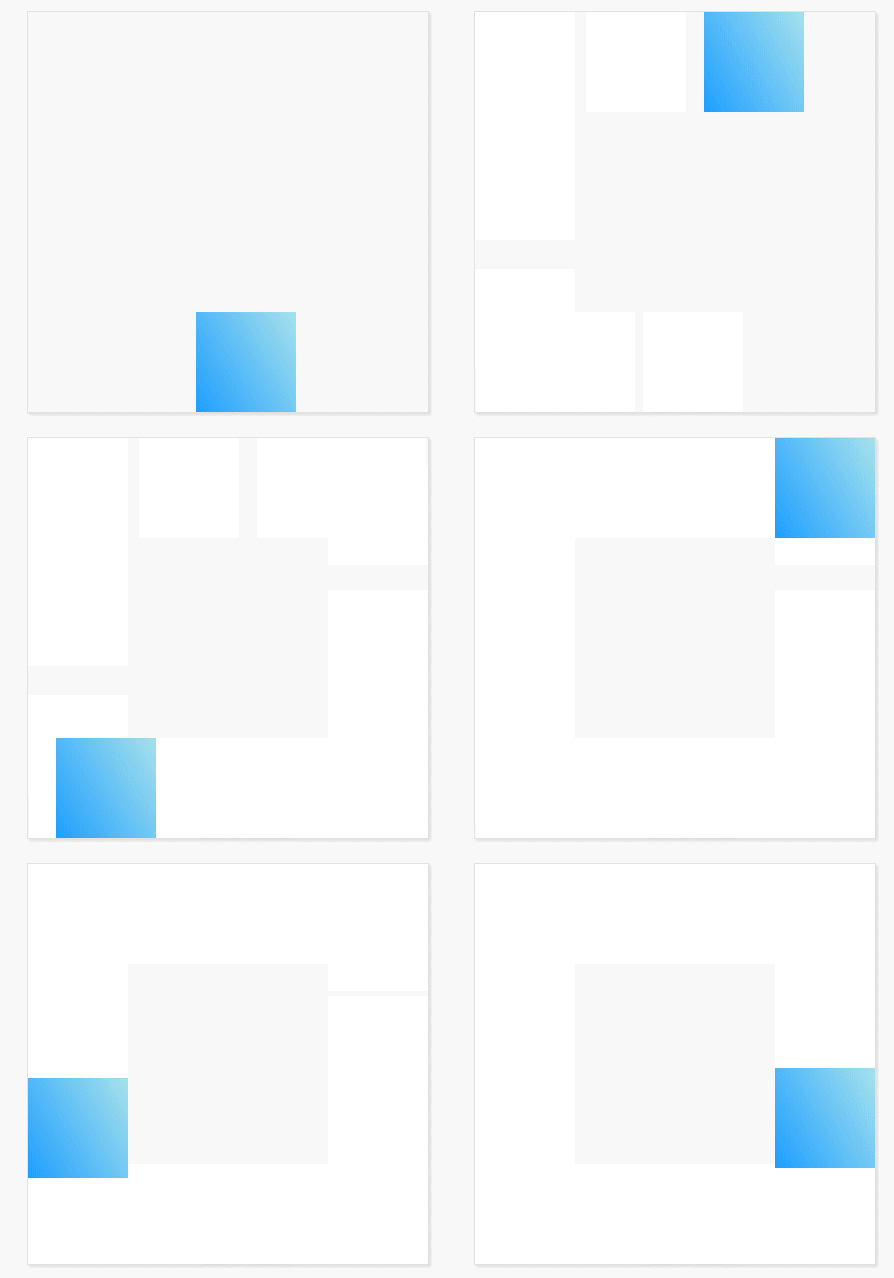
<!doctype html>
<html>

    <head>
        <meta charset="utf-8">
        <title>循环运动</title>
        <style type="text/css">
            @-webkit-keyframes domove{
                0%{
                    left: 0px;
                    top: 0px;
                }
                25%{
                    left: 300px;
                    top: 0px;
                }
                50%{
                    left: 300px;
                    top: 300px;
                }
                75%{
                    left: 0;
                    top: 300px;
                }
                100%{
                    left: 0;
                    top: 0;
                }
            }
            *{
                margin: 0;
                padding: 0;
            }
            .wrap{
                width: 400px;
                height: 400px;
                margin: 20px auto;
                position: relative;
                border: 1px solid #ddd;
                box-shadow: 2px 2px 4px #ddd;
            }
            .trangel{
                width: 100px;
                height: 100px;
                position: absolute;
                background:-webkit-linear-gradient(30deg, #1E9FFF,#A6E1EC);
                top: 0;
                left: 0;
                animation: 2s  infinite domove;
            }
        </style>
    </head>

    <body>
        <div class="wrap">
            <div class="trangel"></div>
        </div>
    </body>

</html>
练习2:滚动提示
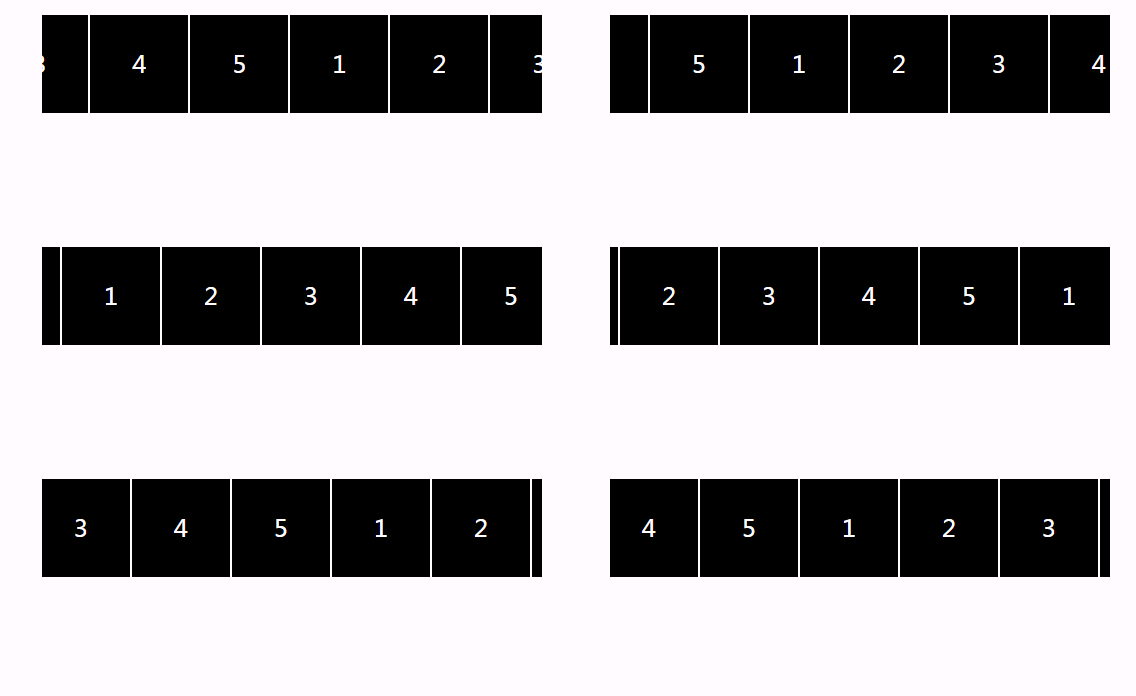
<!doctype html>
<html>

    <head>
        <meta charset="utf-8">
        <title>滚动提示</title>
        <style type="text/css">
            @-webkit-keyframes domove{
                0%{
                    left: 0px;
                    top: 0px;
                }
                100%{
                    left: -500px;
                    top: 0px;
                }
            }
            *{
                margin: 0;
                padding: 0;
            }
            ul li{
                list-style: none;
            }
            .wrap{
                width: 500px;
                height: 100px;
                position: relative;
                margin: 20px auto;
                background: #000;
            }
            .wrap ul{
                position: absolute;
                width: 200%;
                height: 100px;
                top: 0;
                left: 0;
                animation: 5s domove linear infinite;
            }
            .wrap ul li{
                width: 98px;
                height: 98px;
                float: left;
                border: 1px solid #fff;
                text-align: center;
                line-height: 98px;
                color: #fff;
                font-size: 24px;
            }
            .wrap ul:hover{
                -webkit-animation-play-state: paused;
            }
        </style>
    </head>

    <body>
        <div class="wrap">
            <ul>
                <li>1</li>
                <li>2</li>
                <li>3</li>
                <li>4</li>
                <li>5</li>
                <li>1</li>
                <li>2</li>
                <li>3</li>
                <li>4</li>
                <li>5</li>
            </ul>
        </div>
    </body>

</html>
练习3:3D折叠菜单

<!doctype html>
<html>
    <head>
        <meta charset="utf-8">
        <title>3D折叠菜单</title>
        <style type="text/css">
            *{
                margin: 0;
                padding: 0;
            }
            @-webkit-keyframes open{
                0%{
                    -webkit-transform: rotateX(-120deg);
                }
                25%{
                    -webkit-transform: rotateX(30deg);
                }
                50%{
                    -webkit-transform: rotateX(-15deg);
                }
                75%{
                    -webkit-transform: rotateX(8deg);
                }
                100%{
                    -webkit-transform: rotateX(0deg);
                }
            }
            @-webkit-keyframes close{
                0%{
                    -webkit-transform: rotateX(0deg);
                }

                100%{
                    -webkit-transform: rotateX(-120deg);
                }
            }
            #wrap{
                width: 150px;
                margin: 30px auto;
                position: relative;
                -webkit-perspective: 800px;
            }
            #wrap h2{
                height: 40px;
                background: -webkit-linear-gradient(top,#1E9FFF,#A6E1EC);
                color: #fff;
                text-align: center;
                position: relative;
                z-index: 10;
            }
            #wrap div{
                position: absolute;
                width: 100%;
                top: 32px;
                left: 0;
                -webkit-transform-style: preserve-3d;
                -webkit-transform-origin:top;
                -webkit-transform: rotateX(-120deg);
                z-index: 1;
            }
            #wrap span{
                display: block;
                height: 30px;
                background: -webkit-linear-gradient(top,#1E9FFF,#A6E1EC);
                color: #fff;
                box-shadow: 2px 2px 4px #ddd;
                transition: 1s ;

            }
            #wrap>div{
                top: 40px;
            }
            #wrap .show{
                -webkit-animation: 1.2s open;
                -webkit-transform: rotateX(0deg);
            }
            #wrap .hide{
                -webkit-animation: 1s close;
                -webkit-transform: rotateX(-120deg);
            }
        </style>
    </head>
    <body>
        <div id="wrap">
            <h2>我是标题</h2>
            <div>
                <span>选项1</span>
                <div>
                    <span>选项2</span>
                    <div>
                        <span>选项3</span>
                        <div>
                            <span>选项4</span>
                            <div>
                                <span>选项5</span>
                                <div>
                                    <span>选项6</span>
                                    <div>
                                        <span>选项7</span>
                                    </div>
                                </div>
                            </div>
                        </div>
                    </div>
                </div>
            </div>
        </div>
        <script type="text/javascript">
            var oWrap = document.getElementById("wrap");
            var oDiv = oWrap.getElementsByTagName('div');
            var onOff = true;
            var oTimer = null;
            var i = 0;
            oWrap.onclick = function(){
                if(oTimer){
                    return
                }
                if(onOff){
                    i = 0
                    oTimer = setInterval(function(){
                        oDiv[i].className = "show";
                        i++;
                        if(i==oDiv.length){
                            clearInterval(oTimer);
                            oTimer = null;
                            onOff = false;
                        }
                    },200);
                }else {
                    i = oDiv.length-1;
                    oTimer = setInterval(function(){
                        oDiv[i].className = "hide";
                        i--;
                        if(i<0){
                            clearInterval(oTimer);
                            oTimer = null;
                            onOff = true;
                        }
                    },200);
                };
            }
        </script>
    </body>
</html>
练习4:涟漪效果
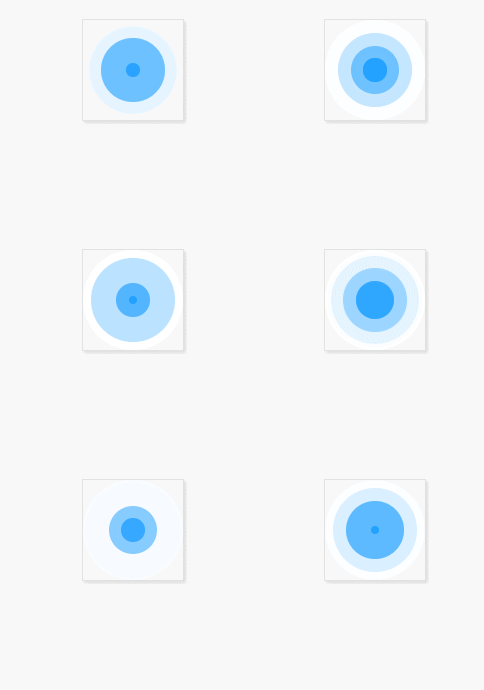
<!DOCTYPE html>
<html>
    <head>
        <meta charset="utf-8" />
        <title>涟漪</title>
        <style>
            *{
                margin: 0;
                padding: 0;
            }
            @keyframes changes{
                0%{
                    height: 0px;
                    width: 0px;
                    opacity: 1;
                }
                100%{
                    height: 100px;
                    width: 100px;
                    opacity: 0;
                }
            }
            .wrap{
                width: 100px;
                height: 100px;
                border: 1px solid #ddd;
                box-shadow: 2px 2px 4px #ddd;
                margin: 20px auto;
                position: relative;
            }
            .circle{
                position: absolute;
                top: 0;
                left: 0;
                right: 0;
                bottom: 0;
                width: 10px;
                height: 10px;
                margin: auto;
                border-radius: 50%;
                background: #1E9FFF;
                animation: changes 2s linear infinite;
            }
            .circle:nth-child(1){
                animation-delay: 1s;
            }
            .circle:nth-child(2){
                animation-delay: 1.5s;
            }
            .circle:nth-child(3){
                animation-delay: 2s;
            }
        </style>
    </head>
    <body>
        <div class="wrap">
            <div class="circle">

            </div>
            <div class="circle">

            </div>
            <div class="circle">

            </div>
            <div class="circle">

            </div>
        </div>
    </body>
</html>